Horizon Application
CASE STUDY
Horizon Application Project
Designing a Guided Learning Hub for Simulation Based Education
MY ROLE
Lead Designer
TIMELINE
Three Months
TEAM
Designer, product manager, and two engineers
KEY FACTOR
New Platform
Project Background
Stukent’s simulation-based learning products allowed students to complete real-world exercises, but the experience surrounding those simulations lacked clarity and guidance. Users often struggled to understand how to begin a simulation, track their progress, interpret results, and determine their next step.
The Challenge
The goal of this project was to design a more cohesive platform experience that connected the moments before, during, and after simulation activities. My responsibility was to design the “in-between” experiences that guide learners through the full journey.
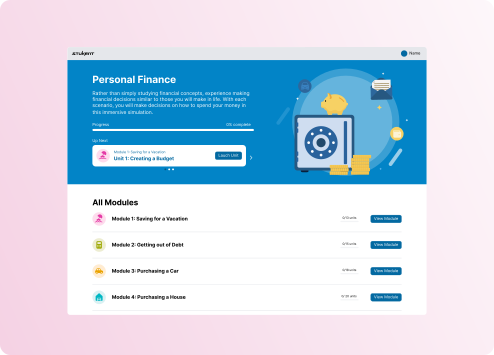
Although the project included multiple touchpoints, this case study focuses on the simulation landing page, which serves as the central hub for navigation, progress tracking, and course orientation.
Key Problems Identified
Several usability challenges existed within the existing experience.
Unclear Navigation
Users lacked a clear understanding of how to enter or exit simulations and where they were within the overall course.
Limited Progress Visibility
Students could not easily track their progression through modules or understand what remained to be completed.
Information Overload
Content hierarchy was not clearly structured, making it difficult for users to quickly find lesson information and learning objectives.
Disconnected Learning Moments
The experience before and after simulations lacked meaningful guidance or reinforcement.
Opportunity for AI Integration
There was potential to introduce AI-supported learning insights to enhance understanding of results and guide next steps.
Research and Discovery
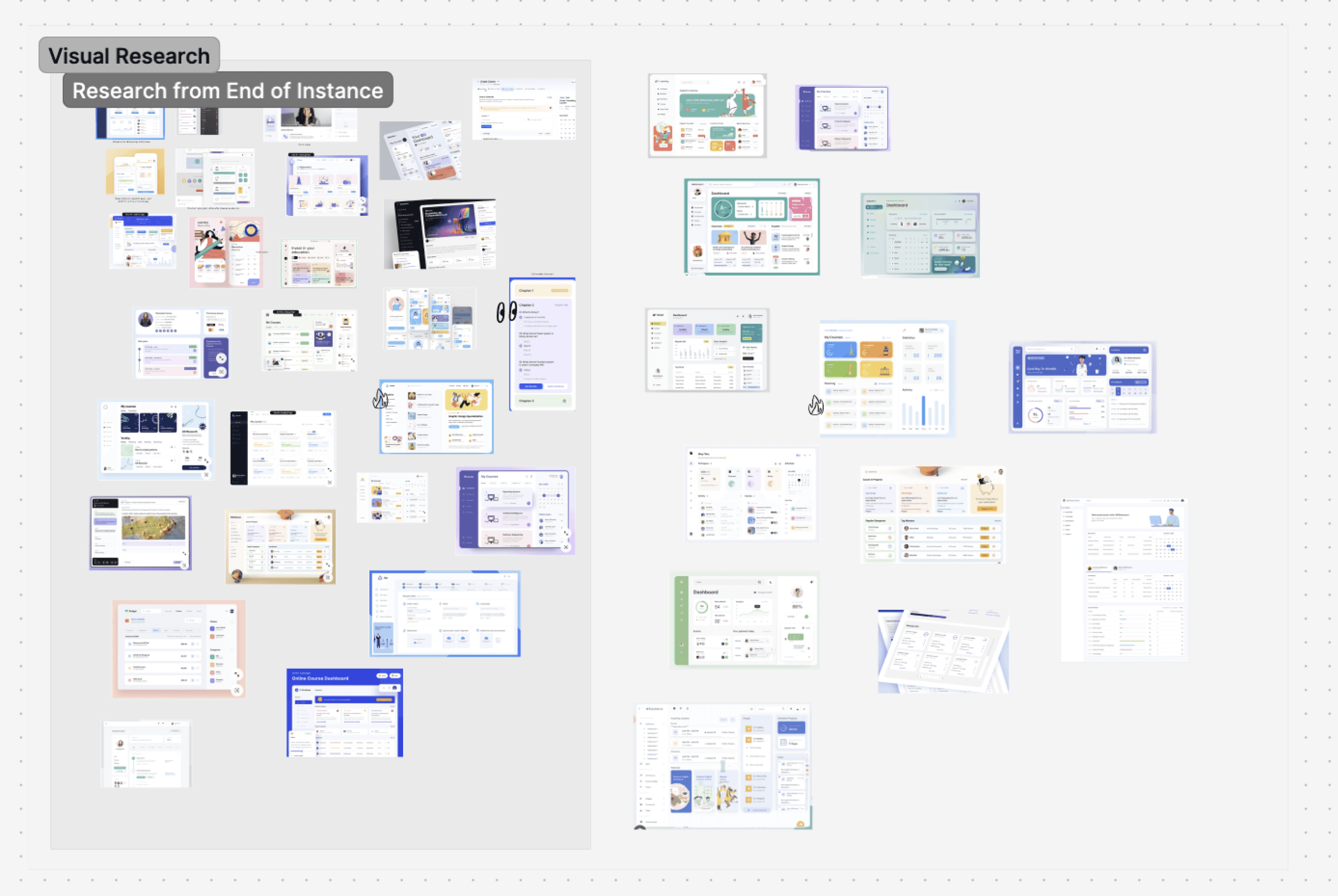
To better understand how modern learning platforms guide users through complex educational content, I conducted competitive research and visual exploration across several digital learning tools. My research focused on the following aspects.
Content hierarchy and layout patterns
Dashboard style navigation structures
Use of visual indicators for progress tracking
Methods for presenting structured course infomration
Several patterns emerged across successful learning platforms. Many leveraged dashboard style layouts featuring cards, progress indicators, icons, and visual grouping to help users orient themselves quickly.
These insights helped inform how similar patterns could be adapted within Stukent's design system while still supporting usability, clarity, scalability, and instructional intent.
Design Process
STEP ONE
Low-Fidelity Exploration
The initial concept attempted to place all module and lesson information on a single page. However, early exploration revealed that this approach created cognitive overload due to the volume of information displayed.
To address this, I explored a multi-layered experience that separated information into manageable sections. The solution provided:
A primary module overview
Detailed lesson information
Learning objectives accessible through an informative overlay
These wireframes helped the team visualize the proposed structure and facilitated early discussions about feasibility and user flow.

STEP TWO
High-Fidelity Exploration
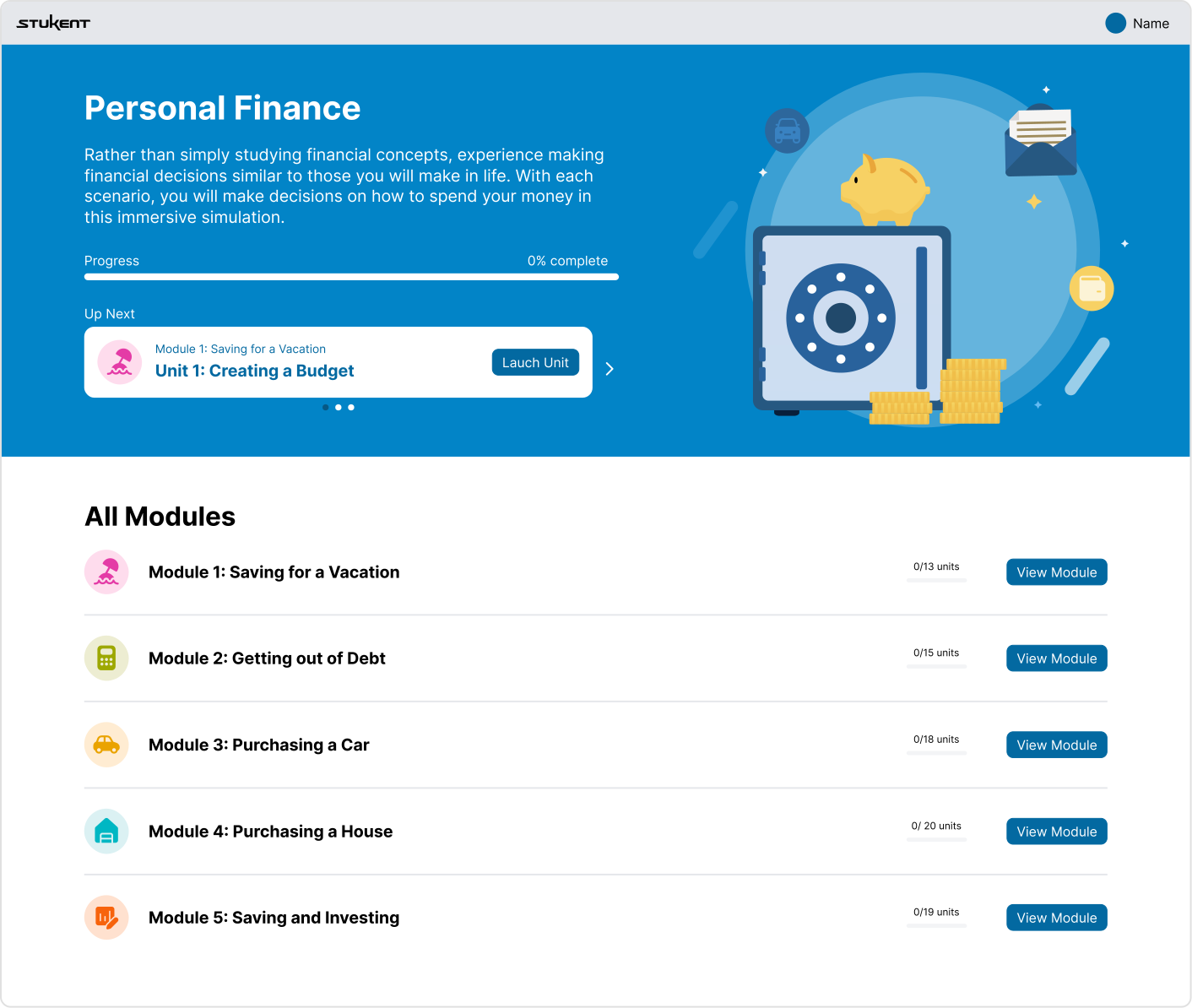
Once the layout direction was validated, I translated the wireframes into high-fidelity designs aligned with Stukent’s visual system.
Clear content hierarchy
Consistent visual grouping
Readable module descriptions
Scannable lesson structure
Visible progress indicators
During this phase, I worked closely with stakeholders to refine usability details and ensure alignment between product vision, instructional design goals, and technical constraints.


STEP THREE
Prototyping
To evaluate the interaction flow, I developed an interactive prototype that simulated the full navigation experience. This allowed stakeholders to explore:
Entering and exiting simulations
Navigating modules and lessons
Viewing learning objectives
Understanding progress through the course
Prototyping helped confirm that the multi-step structure reduced cognitive load while improving clarity and navigation.
Key Features and Solutions
Centralized Learning Hub
The landing page acts as the primary dashboard where users can access modules, review lessons, and monitor progress.
Clear Module Descriptions
Each module includes concise summaries to help users quickly understand the focus of the material.
Lesson Outlines with Learning Objectives
Structured lesson details help users understand what they will learn and why it matters.
Progress Tracking
Visual progress indicators allow users to easily see how far they have progressed through the simulation.
Layered Information Architecture
Breaking content into modules, lessons, and learning objectives reduces information overload while maintaining access to deeper content.
Scalable Framework
The design establishes a structure that can be reused across future Stukent simulations and courses.
Impact, Results, and Key Learning
The redesigned landing page created a more intuitive and guided simulation experience for Stukent users.
By focusing on clarity, hierarchy, and guided learning moments, the landing page now serves as a confident starting point for users while reinforcing the educational structure of the course.
This project reinforced the importance of content hierarchy and progressive disclosure when designing educational platforms. It also demonstrated how early low-fidelity exploration can quickly reveal information overload and lead to more effective structural solutions.
The collaborative review process with product, engineering, and instructional design ensured that the final experience balanced usability, pedagogy, and technical feasibility.
Simplified navigation into and out of simulation activities
Provided clear course orientation through structured module and lesson hierarchy
Improved user understanding of progress and learning outcomes
Established a scalable design framework for future simulations