CASE STUDY
Introduction to Business Simulation Complete Process
Designing an Interactive Learning Experience for First-Time Business Students
MY ROLE
Lead Designer
TIMELINE
Six Months
TEAM
Designer, product manager, and three engineers
KEY FACTOR
Interaction Design
Product Background
The Introduction to Business Simulation was created to help beginner students understand the fundamental functions of running a business. The simulation places users in the role of a business manager and asks them to make strategic decisions across four key areas: Human Resources, Marketing, Sales, and Finance.
The Challenge
The challenge was designing an experience that balanced realistic business decision-making with beginner friendly guidance. Many students entering the simulation had little to no prior business knowledge, making it critical that the experience remain approachable while still reflecting real-world business complexity.
As the lead UX designer, my responsibility was to design the end-to-end experience. Organizing the content into an intuitive structure, creating decision-based interactions, and ensuring the simulation translated real business concepts into an engaging learning experience.
Key Problems Identified
Complex Subject Matter for Beginners
Business decision-making can be complex, making it difficult for new learners to understand the relationships between departments.
Disconnected Decision Areas
Without careful design, decisions made in one area of the simulation could feel isolated rather than connected to overall business outcomes.
Potential Cognitive Overload
Presenting too much information or too many options at once could overwhelm new users.
Need for Educational Feedback
Students required clear explanations of how their decisions affected business performance and how they could improve.
Research and Discovery
Early discovery involved close collaboration with product managers and subject matter experts to understand how real-world business principles should be represented in the simulation.
Ensure each business area had a clear purpose
Design interactions that reflect realistic decision-making
Help students understand how decisions influence multiple areas of the business
Provide meaningful feedback that reinforces learning outcomes
These insights helped define the core learning structure and guided how the simulation would be organized.
Design Process
STEP ONE
Low-Fidelity Exploration
I began by mapping the simulation experience through low-fidelity wireframes to validate the overall structure and user flow.
The primary focus during this stage was defining how users would move through the four decision areas while maintaining a clear understanding of their overall business strategy.
A structured navigation flow between business functions
Step-by-step decision moments
Clear prompts to guide users through complex scenarios
This stage helped reduce cognitive load and ensured that each decision moment was easy for beginners to understand.
STEP TWO
High-Fidelity Exploration
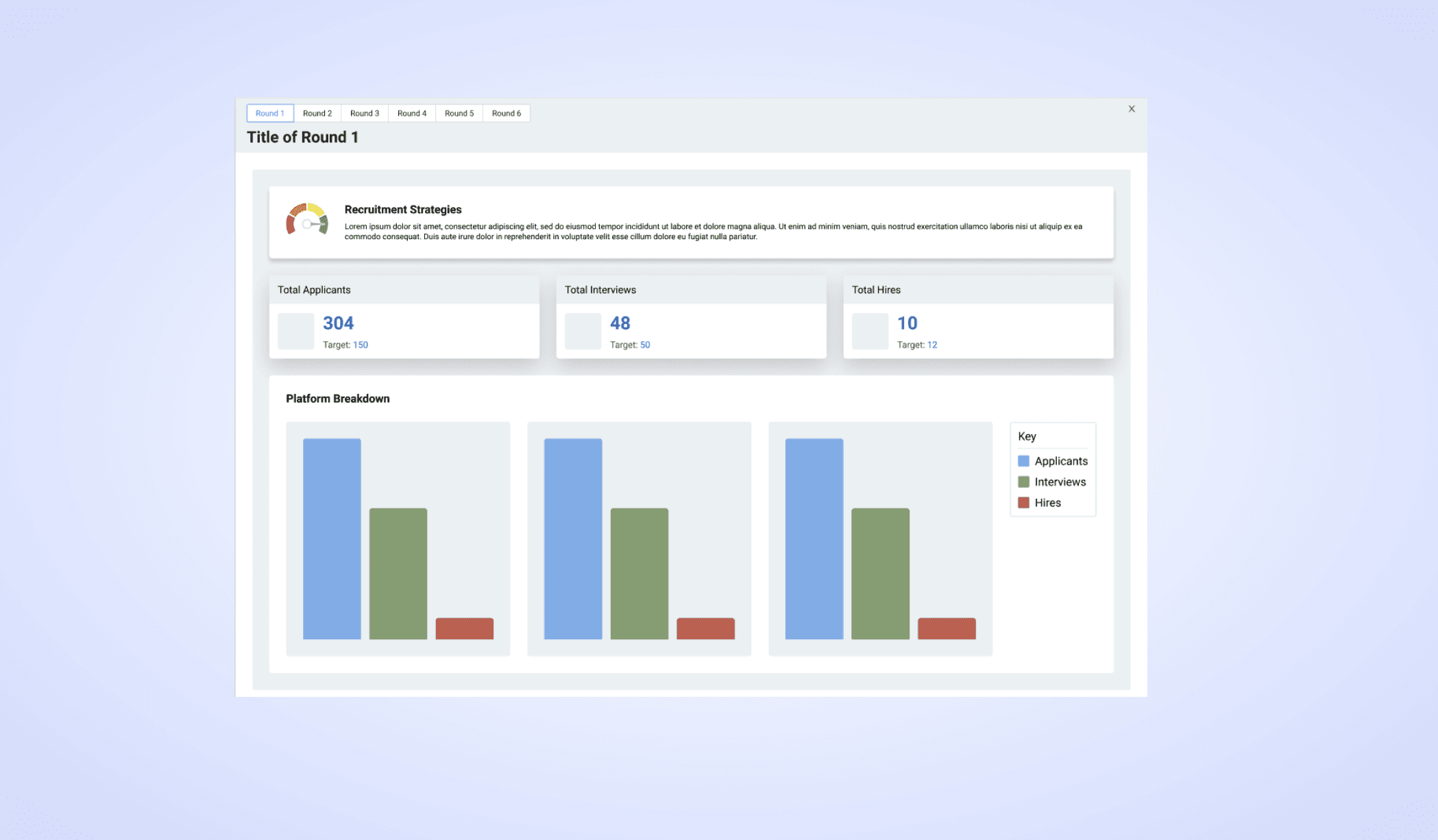
After validating the core structure, I developed high-fidelity designs that focused on improving clarity, visual hierarchy, and engagement.
Clear segmentation of the four business areas
Consistent interaction patterns across decisions
Visual cues that help users understand where they are in the simulation
Accessible layouts that simplify complex information
The goal was to create an experience that felt structured and professional while remaining approachable for first time learners.
STEP THREE
Prototyping
To evaluate the interaction flow, I created interactive prototypes that simulated the decision-making experience.
How users moved between business functions
How decisions were presented and selected
How feedback was delivered after decisions were made
Testing these flows helped identify areas where additional guidance was needed and ensured the simulation remained intuitive for beginners.
Key Features and Solutions
The simulation organizes business decisions into four core functions: Human Resources, Marketing, Sales, and Finance.
Consistent Interaction Patterns
Each decision area follows a similar structure, helping users build familiarity as they progress through the simulation.
Scenario-Based Decision Making
Students encounter branching scenarios that mimic real-world business challenges.
Interconnected Business Outcomes
Decisions in one area influence performance in others, reinforcing the relationship between departments.
Educational Feedback and Guidance
Clear explanations help users understand the impact of their decisions and learn how to improve future outcomes.
Impact, Results, and Key Learning
The final simulation provides a structured and engaging way for beginners to learn business fundamentals.
Designing educational simulations requires balancing real-world complexity with user comprehension. By structuring decisions into clear steps and providing contextual guidance, the experience makes complex topics more approachable.
This project reinforced the value of progressive disclosure in learning design, allowing users to build understanding gradually rather than confronting all information at once.
Close collaboration with subject matter experts ensured the simulation remained both educationally accurate and user-friendly.
Simplifies complex business concepts through guided decision-making
Helps students understand how different departments interact within a company
Provides meaningful feedback that reinforces learning outcomes
Creates an accessible entry point for users new to business strategy